New SMS Scam: How Thieves Are Trying to Steal Your Pango Account
Practical guide to identifying Pango SMS scams - what to check before you click

How the Scam Works – 4 Precise Steps
You just received an SMS that looks like it's from Pango. The text is precise: "Suspicious transaction of 450 NIS was made with your card ending in 4521. To cancel the transaction, click here." You remember making purchases today, but not for that amount. Panic sets in. You click the link.
This is exactly what the attacker was waiting for.
Step 1: The Fake Message Arrives
An SMS identifying itself as Pango, usually with a claim about a "suspicious transaction" or "urgent security issue." Sometimes they'll mention the last 4 digits of your card – data that can leak from old databases or shopping sites. It looks completely authentic.
Step 2: The Deceptive Link
The message contains a shortened link (bit.ly / cutt.ly / weird local domain like pango-verify.com) that looks familiar but isn't the official address. The link leads to a site that looks identical to the real Pango site – same logo, same colors, same user experience.
Step 3: The Fake Login Screen
The site asks you to enter username and password "for verification purposes." There's also a reassuring message: "We're protecting your account." Everything looks fine. You enter the details.
Step 4: The Attacker Gains Access
The moment you entered the details, the attacker is already inside. They can make money transfers, steal additional credit card details saved in the account, or sell access to your account to other parties. All this happens in real time, within minutes.
Why does this work so well?
Pango is used daily: parking, small payments, quick transfers. An SMS from Pango is a normal thing, and it's easy to ignore warning signs when it's routine. In the past year, the number of complaints about SMS scams in Pango's name rose by 40%, and most victims reported not noticing any of the warning signs.
Comparison Table – Real SMS vs. Fake SMS
| Criterion | Real SMS from Pango | Fake SMS (Phishing) |
|---|---|---|
| Message Sender | Pango or official 5-digit number (e.g., 5XXXX) | Foreign name, unfamiliar number, or fake "PangoAlert" |
| Link | Always pango.co.il or app.pango.co.il | bit.ly, cutt.ly, or similar domain like pango-verify.com |
| Request to Enter Password | Pango never requests password via SMS | Asks you to "verify account" with username and password |
| Urgency | Neutral: "New transaction", "Payment reminder" | "Urgent security issue!", "Your account will be locked in 24 hours" |
| Language | Standard Hebrew, no typos | Sometimes Google Translate with weird phrasing |
| 4 Card Digits | Appears only in context of actual recent transaction you made | Mentioned as "proof" the message is real, a persuasion technique |
Important point: Even if the message mentions the last 4 digits of your card, it doesn't mean it's legitimate. This data can leak from old databases, shopping site breaches, or even receipts you threw in the trash. Attackers use this to give you a false sense of security.
What to Do If You Received a Suspicious SMS – Practical Checklist
Before you click on anything:
1. Don't click the link immediately
Open the Pango app directly from your smartphone, or type pango.co.il in your browser. If there's a real problem with your account, you'll see it there. There's no reason to enter through an SMS link.
2. Check the message sender
Pango sends SMS from a clear name or fixed 5-digit number. If the name is "Pango-Security", "PangoTeam", or something similar, it's almost certainly a scam. If it's a regular 10-digit number, it's even more suspicious.
3. Look for language and style errors
"Your account is up for suspension", "Verify the transaction within 24 hours or the account will be locked." Such phrasings don't appear in official messages. Pango writes in standard Hebrew and doesn't use pressure tactics.
4. Copy the link and paste it in Notepad (don't click it)
Check if the address starts with https://pango.co.il. Any other domain – including variations like pango-verify.com or pangosecure.co.il – is fake. Watch for similar-looking letters (like 0 instead of O).
5. If you're not sure, call Pango support directly
The support number appears in the app and on the official website. They'll confirm within seconds if the message is real. It takes one minute and can save you thousands of shekels.
If you already clicked the link:
Don't enter details on the site
Close the page immediately. Don't keep scrolling and don't try to "check what's there." Any data entry on a fake site transfers it directly to the attacker.
If you entered username and password, change the password now
Log into the real app or official website and change immediately. Enable two-factor authentication if Pango offers it. Do this before anything else.
Check account transaction history
Look for transactions you didn't make. If there are any, contact Pango support immediately and block the card. Document every suspicious activity with screenshots, including time and date.
Report to Pango
Forward the fake message to support (screenshot or copy of the full text and link). This helps them block the link and alert other users, and it creates official documentation in case you need to file a complaint.
How to Protect Your Pango Account in the Future – 5 Habits
1. Enable two-factor authentication if available
Not all payment apps offer this, but if Pango adds such an option, enable it immediately. This means even if someone steals your password, they won't be able to log in without an additional code sent to your phone.
2. Don't save the password in your browser
If someone gains access to your phone (theft, loss, or repair by an untrustworthy professional), they can log in automatically. Use an encrypted password manager instead.
3. Check the list of devices connected to your account
If Pango allows you to see where your account was accessed from, do this monthly. If you see a login from an unfamiliar device, change your password immediately.
4. Change password every 6 months
This significantly reduces risk in case of data breach. Even if your password leaked from an old database, after 6 months it's no longer relevant.
5. Use caller ID tools like Traceback
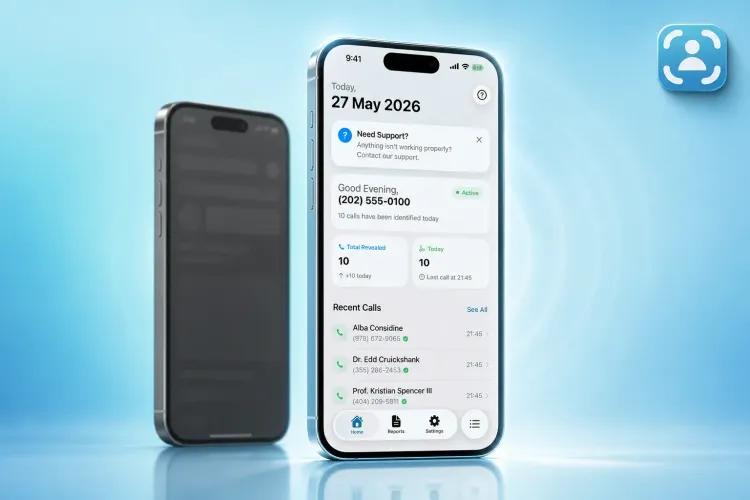
If someone calls and identifies themselves as "Pango support," you can verify their identity within seconds. Traceback reveals the caller's real identity, and works with all Israeli carriers. Identification happens within 1.3 seconds and the report can be used to document harassment. Subscription costs 14.90 NIS per week, 29.90 NIS per month, or 249.90 NIS per year, with unlimited identifications. There's also a 3-day free trial for monthly and annual subscriptions.
FAQ – Pango SMS Scam
Q: Does Pango ever send SMS with a link to an external site?
No. All official messages from Pango direct to the app or to the pango.co.il domain only. Shortened links (bit.ly, cutt.ly and such) are always suspicious. No legitimate company uses link shorteners in security messages.
Q: If the link looks fine on my phone, is it safe?
No. Phones sometimes display only part of the address. Always copy the link to Notepad and check the entire address, especially the domain (the part ending in .com or .co.il).
Q: Will Pango ask me to enter a password via SMS?
Never. If an SMS asks you to "verify account" with username and password, it's a scam. Pango requests login only in the app or on the official website, and never through an SMS link. This is a golden rule: no company will ask for a password in a text message.
Q: What to do if the attacker already accessed my account?
Change password immediately, check transaction history, block the credit card if there are suspicious transactions, and contact Pango support. Save screenshots of everything suspicious (messages, transactions, links). This can help in case of a lawsuit or coordination with the bank for refund.
Q: Can I report such a scam to the police?
Yes. Contact the police cyber unit with all details: screenshot of the message, the fake link, and transaction history from the account. If there's financial damage, file an official complaint at the nearest police station. Chances are you won't get the money back from the attacker, but reporting is important for preventing future scams.
Q: Do such scams also happen with other apps (Bit, Paybox)?
Absolutely. Every popular payment app is a potential target. The same principles apply: don't click links in SMS, always check the domain, and don't enter a password unless you're 100% sure you're on the real site. The more widespread the app, the more phishing attempts there are.
Q: How can I be sure I'm on the real site?
Type the address pango.co.il directly in your browser, don't rely on links. Check that there's a green lock next to the address (HTTPS). If the address starts with http without the S, or if there's a "site not secure" warning, exit immediately.
Summary: Don't Click, Open the App
SMS scams are sophisticated because they exploit the trust we've built in daily apps like Pango. The most important rule: Don't click links in SMS. Open the app directly. If there's a real problem with your account, you'll see it there. If you're receiving suspicious calls or messages, Traceback can help you identify the real caller within seconds and save you headaches and financial damage.
Remember: SMS scams won't disappear. The more widespread Pango becomes, the more phishing attempts there will be. But if you internalize the basic rules – don't click, check the sender, copy the link and verify it – your chance of falling into the trap drops to nearly zero.
⚠️ Disclaimer: This article is general information only and does not constitute legal advice. For any specific legal situation, consult a qualified attorney. Traceback is not responsible for legal outcomes.