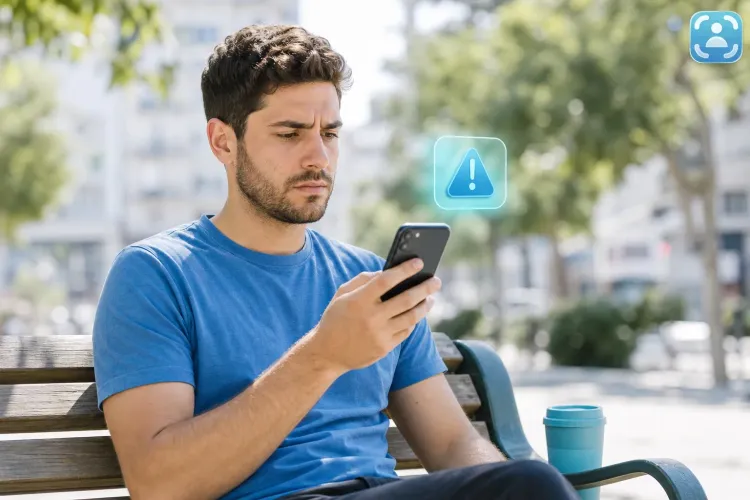
Got an SMS About 'Suspicious Activity' on Your Account? 3 Minutes That'll Save You Thousands
Quick guide to identifying SMS scams with visual checklist and examples from real sources


How It Works – Anatomy of a Scam Message
The classic scam message is built on three pillars: immediate panic ("Your account is frozen!"), a legitimate-looking link, and a form that looks exactly like your bank's. You enter your details, and the scammer is already on their way to draining your account.
Why does this work so well? Because the fear of account lockout or losing money is stronger than any suspicion. Our brain shifts into "immediate fix" mode and bypasses all caution mechanisms.
In Israel, scammers use a particularly clever local trick: they impersonate services we trust – Pango, Visa Cal, the police, or major banks. The familiar name makes us drop our guard, and the click happens before skepticism kicks in.
The 8-Point Checklist – Instant Detection
1. Check the Sender
Banks send messages from short 4-5 digit numbers (like 2407 or 6800). If the message comes from a regular mobile number or international number – it's not the bank.
2. Look for Spelling Errors
"Suspicious activity in your account" with minor grammar mistakes or odd syntax – banks invest in professional editing.
3. Examine the Link Before Clicking
Long-press the link to see where it actually leads. Is it bank.co.il or bank-verify-il.suspicious-site.com? That difference is the difference between safe and dangerous.
4. Notice Artificial Urgency
"Valid for 24 hours", "Account will be locked within an hour" – real banks inform, they don't scare.
5. No Personal Details
A real message will include your name or the last 4 digits of your account. "Hello dear customer" or "valued user" – red flags.
6. Missing Lock Icon in Link
If you accidentally already clicked the link, check if there's a lock (🔒) next to the address in the browser. Real bank sites are always encrypted.
7. Request for Sensitive Information
A real bank will never ask you for a password, CVV, or OTP code in a message. If they're asking – it's a scam.
8. Message Tone
"Hello dear customer" instead of "Hello Danny" or "Hello, account holder 1234" – means the sender doesn't actually know who you are.
Examples from Real Sources – Side by Side
| Criterion | Real Bank Message | Scam Message | |-----------|-------------------|--------------|| | Sender Number | 4-5 short digits (e.g., 2407) | Regular mobile or international number | | Personal Address | "Hello [first name]" or last 4 digits of account | "Hello dear customer" / "user" | | Link | Official address (.co.il, .il) | Long/strange address with spelling errors | | Action Request | "Call the hotline" or "Enter the app" | "Click here immediately" or "Confirm details" | | Language | Standard, no errors | Minor spelling or odd syntax errors | | Request Content | General information, no password requests | Request to "verify" CVV / password / OTP code |
Example 1 – Fake Pango:
❌ Fake: "Hello, suspicious activity detected in your Pango account. Click here within 12 hours: bit.ly/pang0-verify"
✅ Real: "Hi Danny, you transferred 150 ₪ to Ronit. If you didn't make this transaction, contact hotline 3722*"
Example 2 – Fake Visa Cal:
❌ Fake: "Your Visa Cal account is frozen due to unusual activity. Please verify identity: visacal-verify.com"
✅ Real: "Transaction of 450 ₪ at Rami Levi approved. Details in app or *6800"
Example 3 – Fake "Police":
❌ Fake: "A complaint was received about your number. To cancel – enter details here: police-il.xyz/cancel"
✅ Real: The Israel Police doesn't send SMS with links. Always calls or sends registered mail.
What to Do Now – Immediate Steps
1. If you received a suspicious SMS:
Don't click any link. Call the official number of the bank or service (find it on the official website, not from the message). Forward a screenshot of the message to the bank and the National Cyber Directorate.
2. If you already clicked a link:
Don't enter any information. Close the browser immediately. Change passwords in the banking app (not through the link you received). Call the bank and update them about the suspicion.
3. If you entered details:
Call the bank immediately and block the card or account. Change passwords in all services (bank, email, Pango, Visa Cal). File a report through cyber.gov.il. Check account transactions in the coming days.
4. Future Protection:
Enable two-factor authentication in all financial services. Save the bank's official numbers in your device. If an unknown number tries to call and scare you – hang up and call back the official number.
Frequently Asked Questions
Can a bank send an SMS with a link?
Yes, but only to informational pages or the official app. Never to a page requesting a password, CVV, or OTP code. If the link leads to a form requesting sensitive details – it's a scam.
What do you do if the number looks like the bank's number?
Scammers can fake the sender number using Caller ID Spoofing so the message appears to come from the bank. If you have any doubt – hang up and call back the bank's official number.
Can you find out who sent a suspicious SMS?
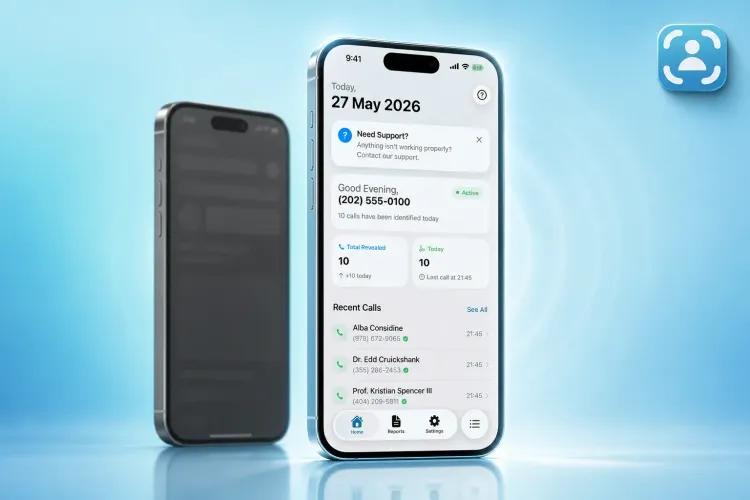
Traceback reveals no-caller-ID numbers and provides an identifying report that helps document harassment and take action against it, but SMS scammers usually use temporary SMS services and virtual numbers. Better to prevent damage upfront using the checklist.
Does the Israel Police send SMS?
Not in this way. A summons or official notice comes by registered mail or direct call, not in a text message with a link. If you received a "message from the police" with a link – it's a scam.
Who do you report SMS scams to?
To the National Cyber Directorate and the bank or relevant service hotline. The faster you report, the better the chances of stopping the scammer before they harm someone else.
Got a suspicious SMS and not sure if it's real? Three minutes and one checklist could save you thousands of shekels. Save this guide, share it with family members (especially seniors), and remember: when something pressures you to click fast – that's the best reason not to click at all.
If you received a call or message from an unknown number and want to know who's behind the number – Traceback reveals no-caller-ID numbers and provides an identifying report you can use to document harassment and take action against it. Find out who's calling you – 3 free trial days in a weekly or monthly package (14.90 ₪ per week / 29.90 ₪ per month / 249.90 ₪ per year, unlimited lookups). Cancel anytime, no commitment.
⚠️ Disclaimer: This article is general information only and does not constitute legal advice. For any specific legal situation, consult a qualified attorney. Traceback is not responsible for legal outcomes.