How Do I Get a Notification When I Reveal a No Caller ID Call?

Want a heads-up the moment Traceback reveals a hidden caller? Turn on notifications and you'll see the revealed number as soon as it comes through. Here's how to enable them.
When Traceback identifies a call from a private number, it sends a notification with the real number, and with a name when it's known. For notifications to arrive, you need to allow them once. In this guide: how to turn them on, what a notification looks like, and what to do when they don't arrive.
How to turn on notifications
The first time you open Traceback, a screen asking you to turn on reveal notifications appears. Tap Allow notifications and approve your phone's permission prompt.
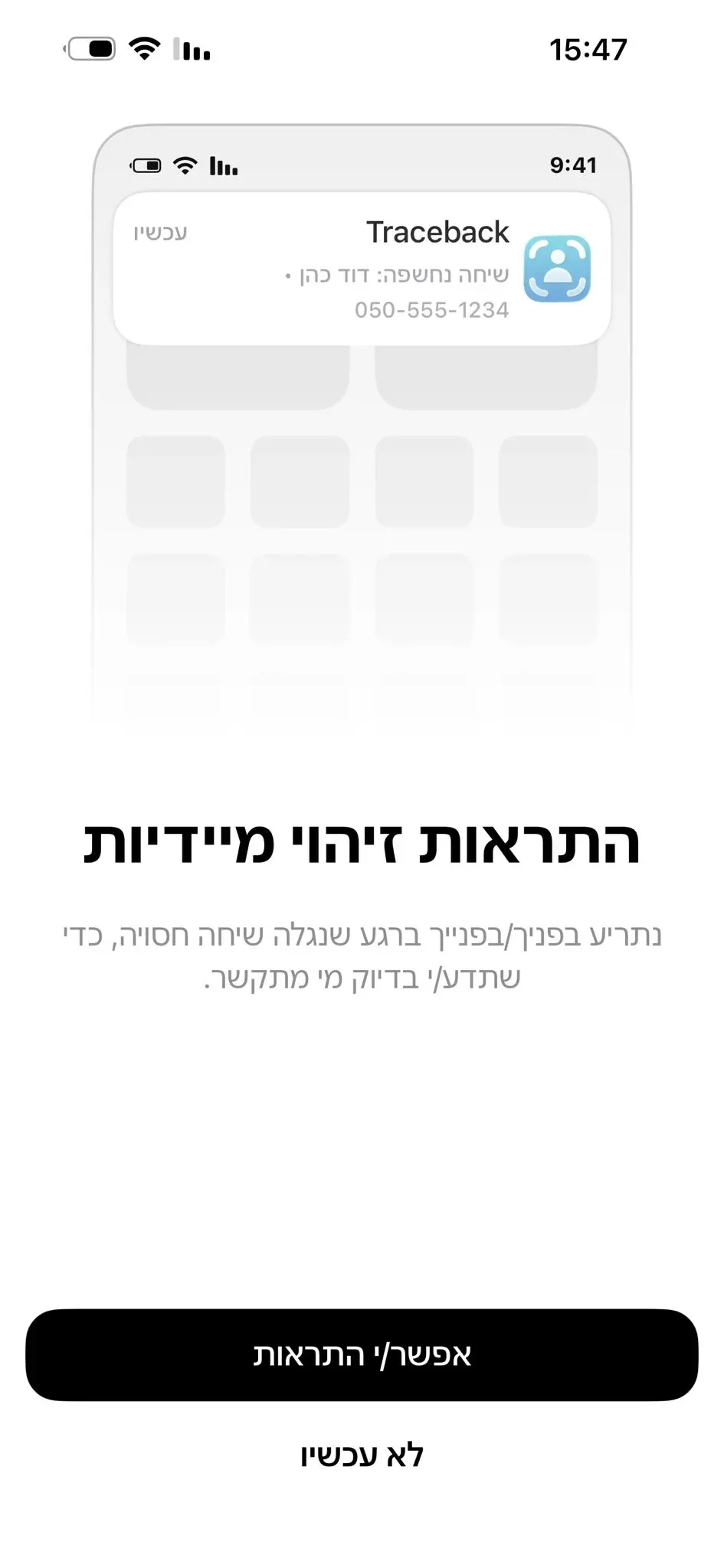
If you skipped that screen, open Traceback, go to Settings and tap Notifications.
The app takes you to your phone's notification settings for Traceback. Turn notifications on there.
Go back to the app. From now on, every reveal arrives as a notification.
What a reveal notification looks like
The notification arrives within a few seconds of declining a call from a private or unknown number. It shows the identified number, and the name if the number is in our database or in the contacts you synced. Tapping the notification opens the call details in the app.
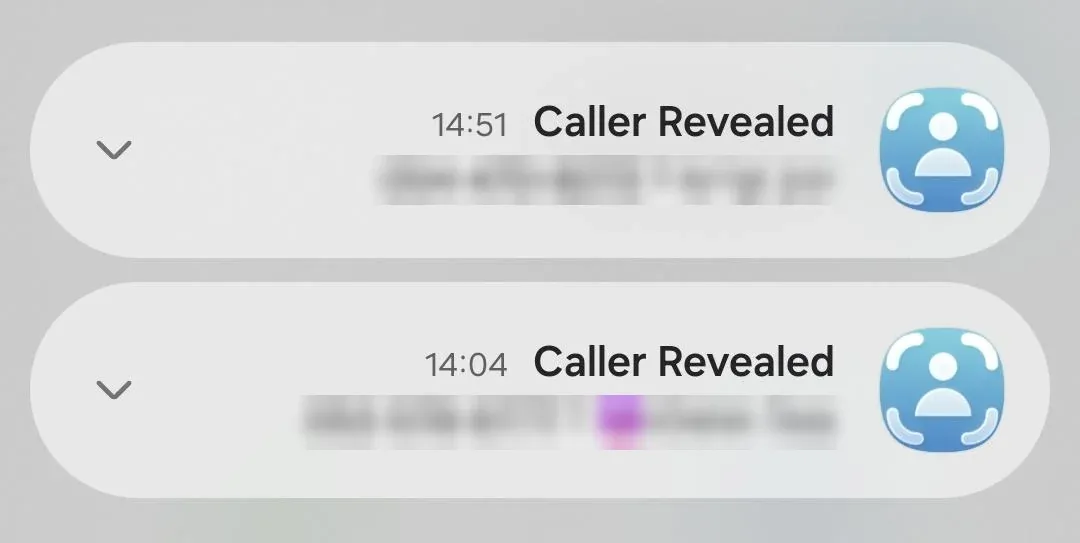
Even without notifications, every reveal is saved in the app under your calls, so you won't miss it.
Privacy note
The notification shows the caller's details on your screen, including the lock screen. If you'd rather the details not appear on the lock screen, change how Traceback notifications are displayed in your phone's settings.
Troubleshooting
I'm not getting reveal notifications. First, sync with the server: in the app, Settings > Sync to Server. That's the most common fix. Then make sure Traceback notifications are turned on in your phone's settings.
Notifications worked and then stopped. A system update can reset permissions. Sync with the server again, and make sure the app is up to date and notifications are still turned on.
No notification and no reveal in the app either. The problem is most likely call forwarding, not notifications. See the iPhone call forwarding setup guide or the Android guide.
I tapped "Notifications" and nothing happened. That option opens your phone's settings. Turn on Traceback notifications there and go back to the app.
Frequently asked questions
How do I get a notification when a private number is revealed?
Allow notifications the first time you open the app, or through Settings > Notifications. From then on, every reveal arrives as a notification.
Does the notification show the number?
Yes. It shows the identified number, and the name when it's known.
Can I turn notifications off?
Yes, at any time in your phone's notification settings. Reveals will keep being saved in the app.
Why do notifications stop arriving?
Usually because the connection to the server needs a refresh or a permission was reset. Sync with the server and check your notification settings.
Open this guide on your phone
Setup happens on your phone. Scan to keep these steps open while you do it.
Was this article helpful?
Your feedback helps us write better support content.
Related articles
From the blog
No Caller ID on iPhone: What It Means and How to Reveal Who Called
The complete guide to identifying hidden calls on iPhone, what Apple offers, what's missing, and how Traceback reveals the real number

Traceback vs MaskOff: Which No Caller ID App Fits You in Israel? (2026)
A factual comparison, based on what each app publishes
How to Call Back a Hidden Number in Israel (2026)
Why you can't dial back a hidden call, and what works instead